
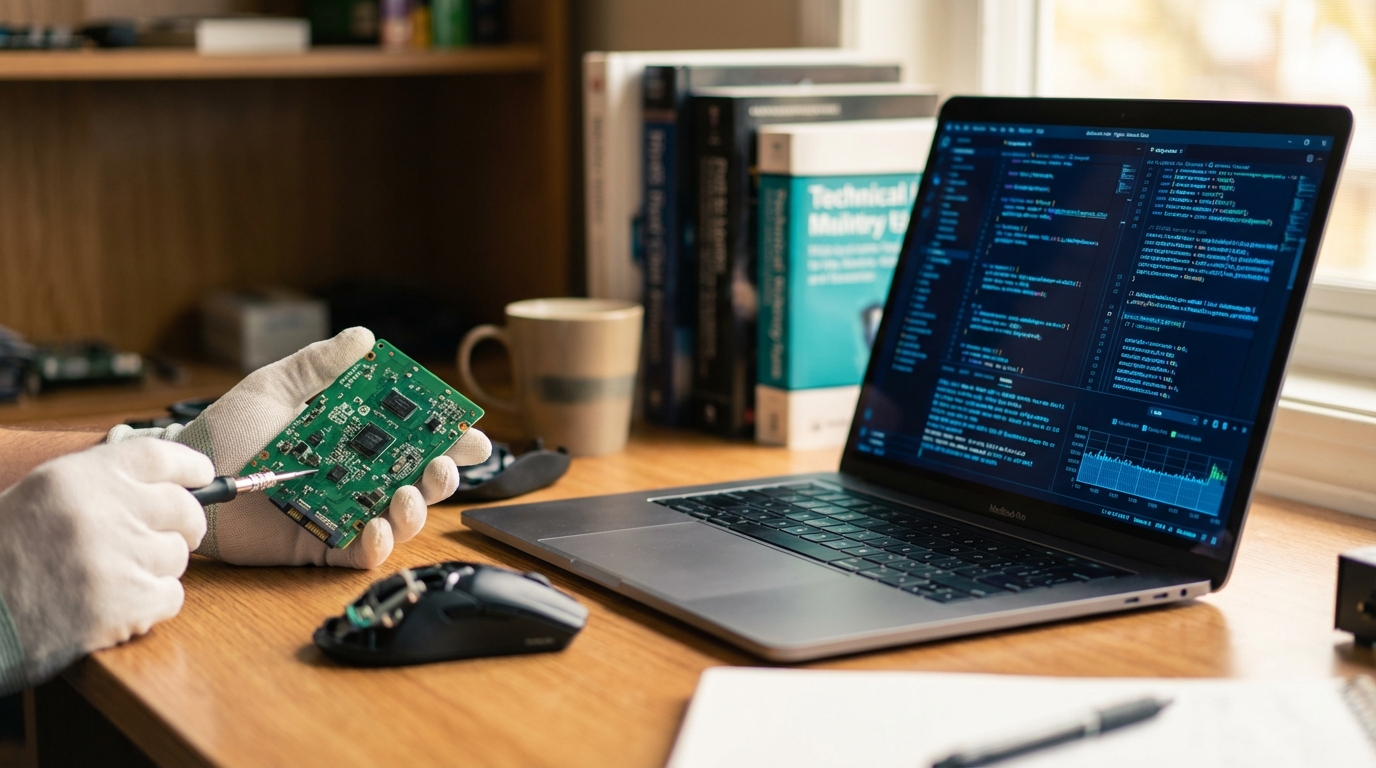
Difference Between Software and Hardware Explained
In the realm of computing, two fundamental components work inseparably to enable the digital world we interact with daily: hardware and software. While often discussed in conjunction, they represent distinct yet interdependent aspects of any computer system. Understanding the unique characteristics, functions, and distinctions between them is crucial for comprehending how technology operates. This article will delve into the definitions, categories, and key differences that set hardware and software apart, while also highlighting their symbiotic relationship.The Foundation: What is Hardware?
Hardware refers to the physical, tangible components of a computer system that you can see and touch. It encompasses all the electronic and mechanical parts that make up a computer, from the smallest microchip to the largest peripheral device. Without hardware, software would have no platform on which to run, and the instructions it provides would remain purely abstract. Hardware can generally be categorized based on its primary function within a computer system: * **Input Devices:** These components are used to feed data and instructions into the computer. * Keyboard (for typing text and commands) * Mouse (for navigating and selecting items on a screen) * Microphone (for audio input) * Scanner (for converting physical documents into digital images) * Touchscreen (for direct interaction via touch) * **Output Devices:** These components display or present data and information processed by the computer to the user. * Monitor/Display (for visual output) * Printer (for producing hard copies of documents) * Speakers (for audio output) * Projector (for displaying output onto a larger surface) * **Processing Devices:** These are the “brains” of the computer, responsible for executing instructions and performing calculations. * **Central Processing Unit (CPU):** The primary component that processes instructions and manages the flow of information. * **Graphics Processing Unit (GPU):** Specializes in rendering images, animations, and video, often found in dedicated graphics cards. * **Storage Devices:** These components are used to store data and programs, either temporarily or permanently. * **Random Access Memory (RAM):** Volatile memory used for temporary storage of data that the CPU is actively using. Data is lost when the power is off. * **Hard Disk Drive (HDD):** Non-volatile, magnetic storage for long-term data retention. * **Solid State Drive (SSD):** Non-volatile, flash-based storage offering faster data access compared to HDDs. * **USB Flash Drive:** Portable, non-volatile storage. * **Networking Devices:** Components that facilitate communication between computers and other devices. * Network Interface Card (NIC) * Router * Modem Essentially, hardware provides the physical infrastructure upon which all computational processes occur. It is built from materials, occupies space, and is subject to physical wear and tear.The Instructions: What is Software?
Software, in contrast to hardware, is intangible. It refers to the set of instructions, programs, data, and procedures that tell hardware what to do and how to perform specific tasks. Without software, hardware would be a collection of inert components, unable to perform any useful function. Software gives life and purpose to hardware. Software can be broadly categorized into several types: * **System Software:** This category manages and controls the computer hardware and provides a platform for application software to run. It acts as an intermediary between the hardware and the user or application programs. * **Operating System (OS):** The core software that manages all computer hardware and software resources (e.g., Windows, macOS, Linux, Android, iOS). It handles memory, processes, file management, and input/output operations. * **Device Drivers:** Programs that allow the operating system to communicate with specific hardware devices (e.g., printer drivers, graphics card drivers). * **Utilities:** Tools that help manage and maintain the computer system (e.g., disk defragmenters, antivirus software, backup tools). * **Application Software:** These are programs designed to perform specific tasks for the user. They rely on system software to function. * Word processors (e.g., document creation and editing) * Spreadsheet programs (e.g., data organization and calculation) * Web browsers (e.g., accessing the internet) * Email clients (e.g., managing electronic mail) * Photo and video editing software * Video games * **Programming Software:** These are tools that assist programmers in writing, testing, and debugging other software. * Compilers * Interpreters * Integrated Development Environments (IDEs) * Text editors specifically designed for code Software is conceptual, existing as code and data. It is created through programming languages and can be copied, updated, and deleted without physical alteration to the hardware.Key Distinctions Between Software and Hardware
While their interdependence is absolute, the differences between software and hardware are fundamental: * **Tangibility:** * **Hardware:** Is tangible; it can be physically touched, seen, and handled. It has a physical presence and occupies space. * **Software:** Is intangible; it cannot be physically touched. It exists as electronic instructions and data. * **Nature of Creation:** * **Hardware:** Is manufactured. It involves the design, fabrication, and assembly of electronic components and physical materials. * **Software:** Is developed or programmed. It involves writing lines of code in programming languages, which are then compiled or interpreted into machine-readable instructions. * **Functionality:** * **Hardware:** Performs operations as instructed by software. It provides the raw processing power and physical interfaces. * **Software:** Provides the instructions and logic that tell the hardware what to do and how to do it. It defines the tasks and capabilities of the system. * **Vulnerability and Maintenance:** * **Hardware:** Can fail due to physical damage, wear and tear, manufacturing defects, or electrical issues. Maintenance often involves cleaning, repairing, or replacing physical components. * **Software:** Can fail due to bugs, logical errors, compatibility issues, or malicious code. Maintenance involves debugging, patching, updating, or reinstalling. * **Transferability:** * **Hardware:** Is generally not easily transferable between systems in its entirety without physical installation or disconnection. * **Software:** Can be easily transferred, copied, or transmitted digitally across networks or storage devices. * **Dependency:** * **Hardware:** Cannot perform any meaningful task without instructions from software. It is inert without it. * **Software:** Cannot execute or run without underlying hardware to provide the processing power, memory, and input/output mechanisms. It is useless without it.Interdependence and Synergy
The relationship between hardware and software is one of profound interdependence. They are two sides of the same coin, each essential for the other to function and for a computer system to be operational. Imagine a human body: the hardware is analogous to the brain, muscles, bones, and organs – the physical structure. The software is like the thoughts, memories, skills, and consciousness that animate the body and dictate its actions. Without the physical body, thoughts cannot manifest; without thoughts, the body has no purpose or direction. Similarly, the CPU (hardware) executes instructions, but these instructions come from the operating system or an application (software). A word processor (software) allows you to type, but it relies on the keyboard (hardware) for input and the monitor (hardware) for display. Every interaction with a computer system involves a complex dance between physical components and logical instructions.Evolution and Future Trends
Both hardware and software have undergone remarkable evolution since the advent of computing. Hardware has become smaller, faster, more powerful, and energy-efficient, driven by advancements in material science and microelectronics. Concurrently, software has become more sophisticated, user-friendly, and capable, enabling complex tasks and facilitating new forms of interaction. Future trends continue to push the boundaries of this synergy. Advances in artificial intelligence and machine learning, for instance, are heavily reliant on powerful hardware (like specialized GPUs and AI accelerators) to process vast amounts of data, alongside sophisticated software algorithms that learn and adapt. Cloud computing further blurs the lines, abstracting hardware resources into virtualized software environments, yet still fundamentally running on vast physical server farms. The ongoing development of quantum computing also highlights this duality, requiring entirely new hardware architectures along with novel software paradigms to harness its unique capabilities.Conclusion
In essence, hardware provides the structure, the engine, and the physical means, while software provides the intelligence, the instructions, and the purpose. They are distinct concepts, one tangible and the other intangible, yet their union creates the functional computer systems that power our modern world. Neither can exist usefully without the other, forming a dynamic partnership that continues to evolve and shape our technological landscape. Understanding this fundamental distinction and their cooperative nature is key to appreciating the intricacies of computing.Frequently Asked Questions (FAQs)
Q1: Can hardware function without software?
A1: No, hardware cannot perform any meaningful tasks without software. Without instructions from software, hardware components are inert and cannot process data or execute commands. They require an operating system and other programs to bring them to life and direct their operations.
Q2: Can software exist without hardware?
A2: While software can be written and stored (e.g., on a hard drive), it cannot execute or run without underlying hardware. It requires a physical platform with a processor, memory, and input/output mechanisms to be put into action and perform its intended functions.
Q3: Is firmware considered hardware or software?
A3: Firmware is a special type of software that is permanently stored on a hardware device (often in a Read-Only Memory, ROM, chip). It provides low-level control for the device’s specific hardware. It is software, but it is deeply embedded within and specific to a piece of hardware, acting as a bridge between the two.
Q4: If I upgrade my hardware, do I need to upgrade my software?
A4: Not necessarily. Basic software like the operating system will likely still function. However, to take full advantage of new hardware capabilities (e.g., a faster processor or more RAM), you might need updated device drivers or newer versions of application software designed to utilize those enhancements for improved performance or new features.
Q5: What happens when hardware fails versus when software fails?
A5: When hardware fails, it often manifests as a complete system shutdown, a component ceasing to work (e.g., a screen going blank), or physical damage requiring repair or replacement. When software fails, it typically results in program crashes, error messages, incorrect calculations, data corruption, or system instability that can often be resolved through debugging, updates, patches, or reinstallation without physically altering components.

Diana Miller, is a dedicated nature enthusiast and an outdoor adventurer. She began leading groups for excursions in her teens and never stopped. Following her passion for nature, she gathers her friends for outdoor trips every now and then. And for the last 10 years, she has executed workshops on backpacking, snow kayaking and traveling that included her main motive of lightweight packing while outdoors. During leisure, she loves planning for her next adventure.